 Free Games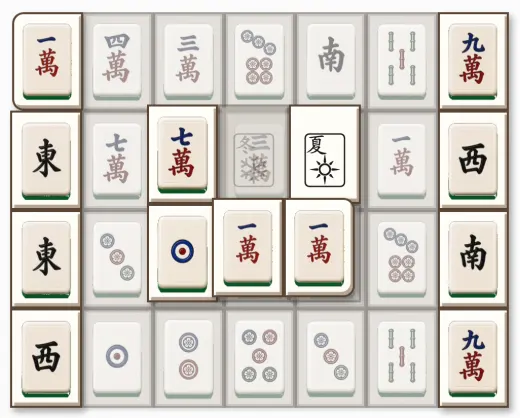
Matching and remembering are not the same job
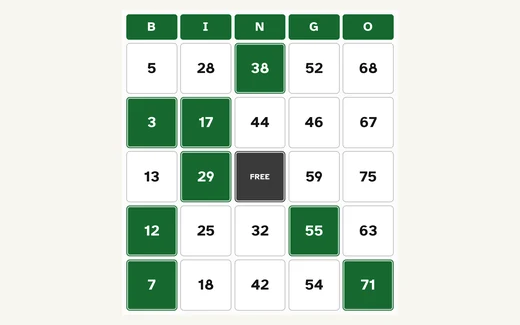
Three of these four keep everything in plain sight. In Mahjong Solitaire every tile is on the table. In Bingo, your card sits in front of you and every number already called stays listed underneath it. In the Jigsaw, the loose pieces are laid out in a tray below the picture area. The work is looking, not recalling. You can play any of them for an hour without once being asked what you remember.
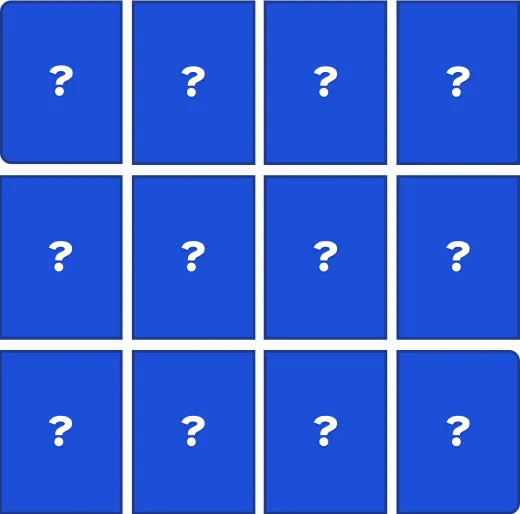
Memory Match is the one that does ask. Cards lie face down, you turn two over at a time, and the game gets easier as you build a picture of where things are. That is the whole pleasure of it, and it is also why some people go straight past it to the others. Its Easy setting is twelve cards, six pairs, which is a comfortable amount to hold. The pictures are plainly different (a sunflower, a star, an apple, a moon), each one also announced by name, and a matched pair gains a green frame and a checkmark, so a match never depends on colour alone.
The one Mahjong rule worth knowing before you start
Mahjong Solitaire looks harder than it is. Tiles are stacked, sometimes in the layered turtle shape, and you clear the board by taking matching pairs off it. The only rule that catches people out is which tiles you are allowed to take: a tile is free when nothing rests on top of it and at least one of its long sides, left or right, has nothing beside it. Free tiles are drawn bright and clear while covered ones are dimmed and drained of colour, so you can see the difference at a glance rather than working it out.
Tap one free tile, then tap its match, and both go. There are two exceptions worth knowing: the four flower tiles all count as matching each other, and so do the four season tiles, even though their pictures differ. Taking a pair usually uncovers what was underneath, which is where your next move comes from. If the board runs out of matches, Shuffle mixes the remaining tiles rather than ending the game; if the last few are stacked so that nothing can pair at all, it says so plainly and offers a fresh board.
Large targets, and no penalty for a wrong tap
In Mahjong Solitaire, Memory Match, Bingo and the Jigsaw everything is a large target that you tap once. You tap one thing and then tap the other; nothing has to be held down and pulled across the screen, which means a near-miss, or a trackpad you are still getting used to, costs you nothing. The Jigsaw pieces sit loose in a tray below the picture: tap one to pick it up, tap the square you want it in, and it drops there. Nothing is dragged.
A mis-tap costs nothing in any of the four. No clock is running, so a wrong tile costs you a moment and nothing more. A Bingo square marked by mistake comes off if you tap it again. A Mahjong pair taken by mistake goes back with Undo, as many times as you like. A Jigsaw piece dropped in the wrong square is never scolded. Tap it and move it again. Memory Match counts your moves, but nothing is scored and nothing is compared. The number is there only if you want to beat your own.
Small things that make a first sitting go better
Start Mahjong Solitaire on the small board. Easy is 36 tiles, Medium is 72, and Classic is the full 144-tile turtle, the one people picture when they think of the game and a great deal to take on for a first go. You can change size at any point; it simply deals a new board at the size you pressed.
Use the hints. All four games on this page have a Hint button, and none of them is a limited supply. Mahjong Solitaire highlights a pair and says in plain words what the two tiles have in common. Memory Match shows a matching pair, tells you where the two cards are, then turns them face down again so you turn them over yourself. Bingo names the column and row of a called number you have not marked yet, or, when your card is up to date, tells you which line you are closest to finishing. The Jigsaw either highlights where the piece in your hand belongs, or picks a piece and shows you both. Press it again and it places the piece for you.
Bingo also prints. Choose 1, 6, 12 or 20 cards and press Print cards: every card is different, one to a page in large print, and a caller's sheet of all 75 numbers comes with them. That is the version for a table of people in the room rather than one person at a screen.