Free Games
 How to play Klondike Solitaire
Klondike — often just called “Solitaire” or “Patience” — is the card game that comes to mind for most people. The goal is simple: move all 52 cards to the four foundation piles at the top right, building each pile up from the Ace to the King in a single suit. When all four foundations are complete, you have won.
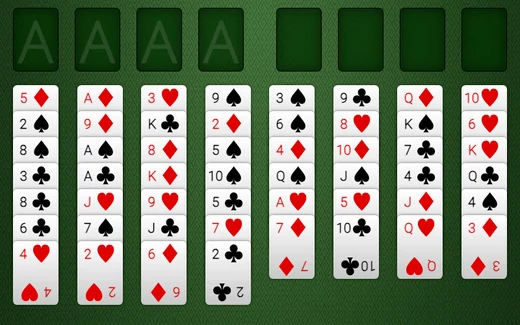
The board has three areas. The seven columns across the middle are the tableau, where most of the play happens. At the top left is the face-down stock pile and, beside it, the waste pile where dealt cards land face up. At the top right are the four empty foundations, one for each suit.
The rules in plain words
- In the columns, you build downward and in alternating colors — a red card goes on a black card one rank higher, and a black card goes on a red one. For example, a red Six can sit on a black Seven.
- Only an Ace can start a foundation pile. After that, add the Two, the Three, and so on up to the King — all of the same suit.
- An empty column can only be filled by a King (or a run of cards starting with a King).
- When you move cards off a column and reveal a face-down card underneath, that card turns over by itself.
- Click the stock pile (top left) to deal a card to the waste. When the stock runs out, click it once more to turn the waste pile back over and deal through it again.
How to move a card here — no dragging
Moving cards on this site is gentle on the hands: there is no dragging at all. First click a card to pick it up — it lifts and shows a small “picked up” tag. Then click where you want it to go: another column, a foundation, or an empty space. The card moves. If you pick up a card and change your mind, just click it again to set it back down, or press the Escape key.
You can move a whole tidy run of cards at once. If a column already has, say, a red Six on a black Seven on a red Eight, pick up the red Eight and the three of them travel together to a black Nine. To send a card straight to its foundation without hunting for the right pile, pick it up and press the Send up button — or just press Send up with nothing selected and the game will move the best available card up for you.
Why this Solitaire is easy and pleasant to play
There is no shortage of Solitaire games online, but most use tiny cards, demand quick mouse-dragging, surprise you with a timer, or bury the board under flashing advertisements. This version was built from the ground up for older players, around a few simple promises.
Large, high-contrast cards
The cards are big and bold, with large rank letters in the corners and a clear suit symbol. Red suits are shown in red and marked with the heart and diamond symbols, while black suits use the spade and club symbols — so you can always tell them apart, even if color is hard to see. Make everything larger with the A+ button in the Text size panel (the round button in the lower corner of the screen), or turn on High contrast for crisp black and red on white. Your choice is saved for next time.
Click to move — kind to hands and wrists
Because there is no dragging, you do not need a steady hand or a precise mouse. A single click picks a card up; a second click puts it down where you want it. Every card, pile, and button is large and easy to aim at.
No timer and no way to lose
There is no clock ticking and no “game over” screen. If a deal runs out of moves, the game says so gently and invites you to start a fresh one — nothing is ever counted against you. You can think for as long as you like and pick up right where you left off.
A real Hint button — used as often as you like
Stuck? Press the large Hint button. It finds a good move, highlights the card and the exact spot it should go, and explains it in plain language — for example, “move the red Six onto the black Seven; that will turn over a new card.” Press Hint again and it makes the move for you. There is no limit on hints, so you are never left staring at a board with no idea what to do.
Always an Undo, and an Auto-finish
The Undo button steps back through your moves one at a time, as many times as you need — nothing you click can spoil the game. And once the board is solved but only the tidy-up remains, the green Auto-finish button appears to sweep every card home for you, so winning never turns into a chore of repeated clicking.
Play with a keyboard or screen reader
You do not need a mouse. Use Tab or the arrow keys to move between the cards and piles, Enter or Space to pick up and drop, Escape to put a card back, H for a hint and U to undo. Each card announces its name and whether it is face up or face down, and every move is read aloud.
No sign-up, ever
You never need to create an account, hand over an email address, or install anything. Open the page and play. The site simply remembers, on your own device, which games you have finished — so it can quietly reveal new ones for you to try.
Why Solitaire is a relaxing way to spend time
Many people find a quiet game of Solitaire a relaxing and enjoyable daily habit — a pleasant way to pass a little time at your own pace, with no pressure and no opponent. We make no medical claims about card games, but we do promise this one will be comfortable to see, easy on the hands, and free of the timers, drag controls, and pop-ups that make other versions frustrating.
Frequently asked questions
- Is this Solitaire really free?
- Yes. Every game is completely free to play, with no sign-up and no email required. There are no pop-ups and nothing that sits over the cards. To keep the site free I may show a few small, clearly-marked ads off to the side.
- Do I have to drag the cards?
- No — and that is on purpose. Dragging can be hard on the hands and wrists. Here you simply click a card to pick it up, then click where you want it to go. One tap, then another. If you change your mind, click the same card again to put it back down.
- Is there a timer or a score?
- No. There is never a clock, never a score to beat, and never a “game over.” Play as slowly as you like, step away to make a cup of tea, and come back whenever you want.
- What if I get stuck?
- Press the big orange Hint button. It finds a good move for you, highlights the card and exactly where it should go, and explains why. Press it again and it will make the move for you. You can use it as many times as you like, so you are never truly stuck. There is also an Undo button that steps back through every move.
- What does the Auto-finish button do?
- When every card is face up and the only thing left is to send them all to the four foundation piles, the green Auto-finish button appears. Press it and the game tidies the whole board up to the top for you, so you do not have to make dozens of repetitive clicks just to win.
- Can I make the cards bigger?
- Yes. Use the A− and A+ buttons at the very top of the page to make everything larger or smaller, and the High contrast button to sharpen the cards to crisp black and red on white. Your choice is remembered for next time.
- Can I play without a mouse?
- Yes. You can play entirely with the keyboard: press Tab or the arrow keys to move between the cards and piles, Enter or Space to pick up and drop a card, Escape to put a card back down, H for a hint, and U to undo.
Looking for more? Browse all of our free games, try our large-print Sudoku, or — if you play on a tablet — see our guide to playing on an iPad with nothing to install.